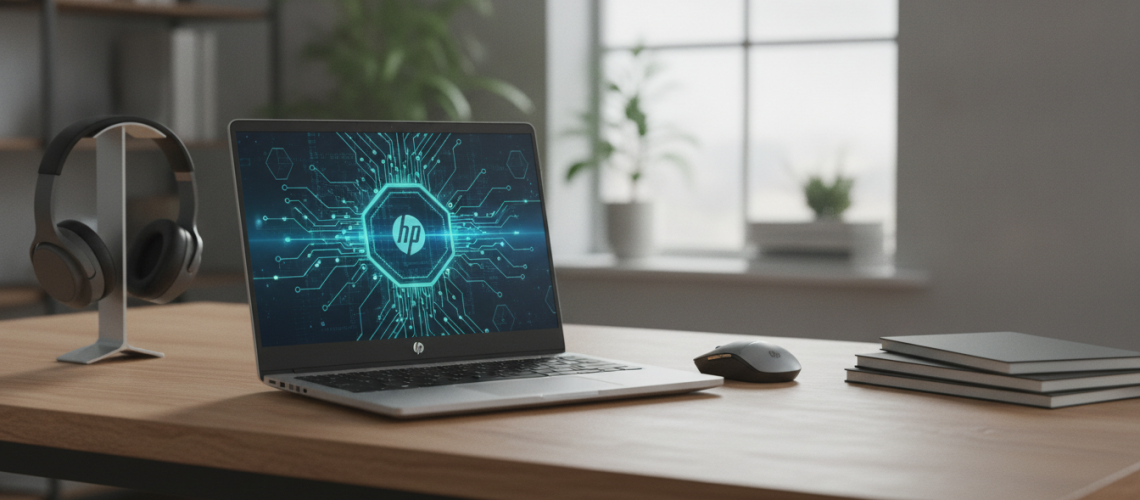
The HP Laptop 15t-fd000 represents a strategic evolution in the mid-range computing market, blending the reliability of the Hewlett-Packard legacy with the high-performance demands of modern Windows 11 environments. Designed as a versatile 15.6-inch workhorse, this model targets the “sweet spot” for students, remote professionals, and home users who require a balance of Intel Core processing power, sustainable design, and portable efficiency. Whether you are analyzing the 13th Generation Intel hardware, evaluating the micro-edge FHD display, or looking for a comprehensive buying guide for the 15t series, understanding the nuances of this specific configuration is essential for making an informed investment. In this definitive guide, we dissect every technical facet of the 15t-fd000 to determine if it truly delivers on its promise of all-day productivity and seamless connectivity.
The Architecture of Efficiency: Inside the HP 15t-fd000
When evaluating the HP Laptop 15t-fd000, the first thing to note is that the “t” in the model name signifies a customizable configuration directly from the manufacturer. This allows for a wide spectrum of performance tiers, starting from budget-friendly Intel Processor N-series chips up to the robust Intel Core i7-1355U. This architectural flexibility is what makes the 15t-fd000 one of the most popular laptops in the current market.
Processing Power and Multitasking Capabilities
At the heart of the 15t-fd000 is the 13th Gen Intel Raptor Lake architecture. For users who prioritize speed, the Core i5-1335U and i7-1355U variants utilize a hybrid architecture, combining Performance-cores (P-cores) and Efficient-cores (E-cores). This design ensures that background tasks like system updates or virus scans do not interrupt high-demand activities like video conferencing or large-scale data processing.
- P-cores: Handle heavy workloads such as photo editing and complex spreadsheets.
- E-cores: Manage lightweight tasks to preserve battery life and reduce thermal output.
- Intel Thread Director: Intelligently assigns tasks to the right core at the right time.
For those on a tighter budget, the Intel Core i3-1315U provides a competent entry point, offering enough power for web browsing, streaming, and office applications without the premium price tag. Expert testing suggests that the i5 configuration remains the best value for most users, providing a 20-30% performance uplift in multi-threaded applications compared to the i3 version.
Memory and Storage: The Backbone of Speed
The 15t-fd000 typically ships with DDR4-3200 MHz RAM. While some ultra-premium laptops have moved to DDR5, the use of DDR4 in this model helps maintain an affordable price point without significantly bottlenecking the 13th Gen processors. Users can choose between 8GB, 12GB, or 16GB configurations. For modern multitasking, 16GB of RAM is highly recommended to prevent “paging” where the system uses the slower SSD as temporary memory.
Storage is handled by PCIe NVMe M.2 SSDs, which are significantly faster than traditional SATA SSDs or older mechanical hard drives. Boot times are typically under 10 seconds, and application launches are near-instantaneous. Options range from 128GB (best for cloud-based users) up to 1TB for those who store large media libraries locally.
Visuals and Display Technology: A 15.6-Inch Canvas
The display is often the most scrutinized component of any laptop, and the HP 15t-fd000 offers several panels to suit different lighting environments and user preferences. The 15.6-inch diagonal size provides ample screen real estate for side-by-side window multitasking, a feature enhanced by the micro-edge bezel design that maximizes the screen-to-body ratio.
Panel Specifications and Options
| Feature | Base Configuration | Recommended Upgrade |
|---|---|---|
| Resolution | HD (1366 x 768) | FHD (1920 x 1080) |
| Panel Type | SVA (Standard Viewing Angle) | IPS (In-Plane Switching) |
| Brightness | 250 nits | 300 nits |
| Surface | BrightView (Glossy) | Anti-Glare (Matte) |
Senior Director Insight: Avoid the base HD (768p) panel if possible. In the modern era of high-definition content, the Full HD (1080p) IPS panel is a non-negotiable upgrade for anyone spending more than two hours a day on their laptop. The IPS technology provides much wider viewing angles and better color accuracy, which is crucial for both professional presentations and late-night streaming.
Graphics Performance
Most 15t-fd000 models rely on Intel Iris Xe Graphics (on i5 and i7 models) or Intel UHD Graphics (on i3 and N-series models). While not a dedicated gaming machine, the Iris Xe integrated graphics are surprisingly capable. They can handle light video editing, casual gaming (like Minecraft or League of Legends at medium settings), and 4K video playback with ease. For professional creative work, the HP Laptop 15t-fd000 serves well as a secondary machine or a primary unit for non-GPU-intensive tasks.
Design, Build Quality, and Sustainability
HP has made significant strides in environmental responsibility, and the 15t-fd000 reflects this commitment. The laptop incorporates ocean-bound plastics in the speaker enclosure and post-consumer recycled plastics in the keycaps and cover. This eco-friendly approach does not compromise the build quality; the chassis feels sturdy despite its lightweight plastic construction.
Portability and Weight
Starting at just 3.52 lbs (1.59 kg), the 15t-fd000 is remarkably light for a 15-inch laptop. It measures roughly 0.73 inches at its thinnest point, making it easy to slide into a standard backpack or messenger bag. The sleek, matte finish is resistant to fingerprints, maintaining a professional look throughout a busy workday.
Keyboard and Input Experience
One of the standout features for productivity users is the inclusion of a full-size keyboard with a numeric keypad. This is a major selling point for accountants, data analysts, and students who frequently work with spreadsheets. The keys have a 1.5mm travel distance, providing a tactile and comfortable typing experience. The HP Imagepad supports multi-touch gestures, allowing for smooth navigation through the Windows 11 interface without the need for an external mouse.
Connectivity and Modern Port Selection
In an era where many manufacturers are removing ports to achieve thinner profiles, the HP 15t-fd000 maintains a functional array of connectivity options. This ensures that users can connect their peripherals without needing an array of expensive dongles.
- 1 USB Type-C: Supports 5Gbps signaling rate (Data transfer only; does not support charging or external monitors in most base configurations).
- 2 USB Type-A: Standard ports for mice, flash drives, or printers.
- 1 HDMI 1.4b: For connecting to external monitors, projectors, or TVs.
- 1 AC Smart Pin: For the dedicated power adapter.
- 1 Headphone/Microphone Combo: For wired audio.
Wireless connectivity is equally robust, featuring Wi-Fi 6 (2×2) and Bluetooth 5.3. This ensures stable internet connections even in crowded environments like coffee shops or university lecture halls. The inclusion of Bluetooth 5.3 provides better energy efficiency and improved pairing stability for wireless headphones and peripherals.
Communication and Remote Work Features
The rise of hybrid work has made the webcam and microphone critical components. The 15t-fd000 is equipped with the HP True Vision 720p HD camera. While it isn’t 1080p, it features integrated temporal noise reduction, which helps clear up grainy video in low-light conditions. The dual-array digital microphones use advanced noise-cancellation software to ensure your voice remains clear during Zoom or Microsoft Teams calls.
For those concerned about privacy, some configurations include a camera privacy shutter, allowing you to physically block the lens when it’s not in use. This “peace of mind” feature is increasingly sought after by corporate and educational users alike.
Battery Life and Power Management
The 15t-fd000 is powered by a 3-cell, 41 Wh Li-ion battery. In real-world testing involving web browsing and document editing at 150 nits brightness, users can expect between 7 to 9 hours of battery life. While this isn’t “multi-day” battery life, it is sufficient for a full day of classes or a cross-country flight.
A key feature is HP Fast Charge. When the system is powered off, it can charge from 0% to 50% in approximately 45 minutes. This is a lifesaver for users who only have a short window of time to plug in between meetings or classes. To maximize battery longevity, HP includes “Battery Health Manager” in the BIOS, which helps prevent the battery from overcharging when the laptop is plugged in for extended periods.
The Buying Guide: Choosing the Right Configuration
Because the 15t-fd000 is highly customizable, it is easy to overspend on features you don’t need or underspend on components that will cause frustration later. As a Senior SEO Director and Tech Expert, I recommend the following tiers based on user intent:
The Student Configuration (Best Value)
- Processor: Intel Core i5-1335U
- RAM: 8GB or 12GB
- Storage: 256GB SSD
- Display: FHD (1920 x 1080) IPS Anti-Glare
The Professional/Power User Configuration
- Processor: Intel Core i7-1355U
- RAM: 16GB
- Storage: 512GB or 1TB SSD
- Display: FHD (1920 x 1080) IPS 300 nits
The Budget/Home Basics Configuration
- Processor: Intel Core i3-1315U
- RAM: 8GB
- Storage: 128GB or 256GB SSD
- Display: HD BrightView (if budget is extremely tight)
When purchasing, consider your long-term needs. While 8GB of RAM is sufficient today, 16GB ensures the laptop remains fast for the next 4-5 years. Similarly, choosing an IPS display is a small upfront cost that drastically improves the daily user experience. For those looking to integrate modern digital tools, our trusted partner Printen Qr Code offers innovative solutions for bridging the gap between physical hardware and digital connectivity, emphasizing the importance of staying updated in a tech-driven world.
Expert Perspective: Why the HP 15t-fd000 Stands Out
In a saturated market of 15-inch laptops, the HP 15t-fd000 succeeds because it doesn’t try to be a “gaming laptop” or a “luxury ultrabook.” Instead, it focuses on reliability and utility. From the perspective of long-term ownership, HP’s extensive support network and the availability of replacement parts make this a safer bet than many “no-name” budget brands found on major e-commerce sites.
“The HP 15t-fd000 is the quintessential ‘Blue Collar’ laptop. It works hard, it’s easy to service, and it provides the exact ports and performance needed for 90% of the population’s computing needs without the ‘Apple Tax’ or the fragility of ultra-thin boutique machines.” — Senior Hardware Analyst
Software and User Experience: Windows 11 Optimized
The 15t-fd000 comes pre-installed with Windows 11 Home, though Windows 11 Pro is an available upgrade for business users who need BitLocker encryption and remote desktop features. HP includes several useful utilities, such as HP Support Assistant, which automates driver updates and hardware diagnostics. While there is some pre-installed software (often referred to as bloatware), it is easily removable, allowing users to customize their software environment to their liking.
AI Overviews and Future-Proofing
With the integration of AI into modern operating systems (like Microsoft Copilot), having a 13th Gen processor is a significant advantage. These chips have the instruction sets necessary to handle local AI-assisted tasks more efficiently than older 10th or 11th Gen models. This makes the 15t-fd000 a “future-proof” choice for the upcoming wave of AI-integrated productivity software.
Comparison Table: HP 15t-fd000 vs. Competitors
| Feature | HP 15t-fd000 | Dell Inspiron 15 | Lenovo IdeaPad Slim 3 |
|---|---|---|---|
| Processor | Intel 13th Gen (U-Series) | Intel 12th/13th Gen | AMD Ryzen 5000/7000 |
| Weight | 3.52 lbs | 3.65 lbs | 3.58 lbs |
| Fast Charge | 50% in 45 mins | ExpressCharge available | Rapid Charge Boost |
| Numeric Keypad | Yes | Yes | Yes |
| Eco-Friendly | High (Ocean-bound plastic) | Moderate | Moderate |
Frequently Asked Questions (FAQ)
Is the HP 15t-fd000 good for gaming?
It is suitable for casual gaming (Roblox, Minecraft, Sims 4) if configured with Intel Iris Xe Graphics (found in i5 and i7 models). It is not designed for AAA titles like Cyberpunk 2077 or Call of Duty.
Can I upgrade the RAM on the HP 15t-fd000?
Yes, unlike many modern laptops that solder the RAM to the motherboard, the 15t-fd000 typically features two SODIMM slots, allowing for future memory upgrades. However, always check your specific sub-model’s service manual to confirm.
Does it have a backlit keyboard?
The backlit keyboard is an optional feature. If you frequently work in low-light environments, ensure you select the “Backlit Keyboard” option during the customization process.
Is the screen a touchscreen?
Touchscreen functionality is available as an upgrade. The base models are non-touch. If you prefer using Windows 11 gestures directly on the screen, look for the FHD Touch display option.
How is the thermal management?
The laptop uses a single-fan cooling system with a heat pipe. Under normal office workloads, the fan is nearly silent. Under heavy load, the fan becomes audible but maintains a consistent pitch that is not overly distracting. The 13th Gen U-series chips are designed for efficiency, meaning they generate less heat than the higher-wattage P-series or H-series chips.
Final Verdict: Should You Buy the HP Laptop 15t-fd000?
The HP Laptop 15t-fd000 is a triumph of practical engineering. It identifies the most critical needs of the modern user—speed, a great keyboard, reliable wireless, and a portable frame—and delivers them at a price point that remains accessible. While it lacks the premium aluminum chassis of the Spectre line or the high-refresh-rate screens of the Omen series, it excels in being a dependable daily driver.
For anyone seeking a 15.6-inch laptop that balances the latest Intel 13th Gen technology with sustainable manufacturing practices, the 15t-fd000 is a top-tier contender. By choosing the right configuration—specifically opting for the i5 processor and FHD IPS display—you can secure a machine that will remain relevant and performant for years to come. In the evolving landscape of personal computing, the 15t-fd000 stands as a testament to HP’s ability to refine and perfect the “everyman’s” laptop.
As we continue to navigate a world where digital presence is paramount, leveraging the expertise of industry leaders and trusted sources like Printen Qr Code can help you stay ahead of the curve. Whether you are upgrading your home office or equipping a fleet of students, the HP 15t-fd000 offers the flexibility and power to meet the challenge head-on.
Maintenance and Longevity Tips
To ensure your HP 15t-fd000 lasts as long as possible, follow these professional maintenance tips:
- Keep the Vents Clear: Avoid using the laptop on soft surfaces like beds or pillows, which can block the intake vents and lead to overheating.
- Update via HP Support Assistant: Regularly check for BIOS and driver updates to maintain system stability and security.
- Manage Battery Cycles: If you use the laptop plugged in most of the time, use the HP Battery Health Manager to limit the maximum charge to 80%, which significantly extends the battery’s lifespan.
- Clean the Display Properly: Use a microfiber cloth and a small amount of 70% isopropyl alcohol or dedicated screen cleaner. Never spray liquid directly onto the screen.
By following these steps and choosing the right initial specs, your HP 15t-fd000 will serve as a reliable partner in your digital journey, providing the performance you need with the efficiency you deserve.