Your X (Twitter) Profile

Please enter your X (Twitter) username.

Set Colors
#ffffff
#222222
#007bff
Custom Design Options
Main Body Shape
Eye Frame Shape
Eye Dot Shape
Logo Upload
logo
Live Preview
💾 Download Options

Twitter QR Code Generator

Want to make it simpler for others to find your Twitter account or X profile? Our Twitter QR Code Generator helps you do that. This speedy tool creates a scannable QR code that connects directly to your Twitter profile. Let the world have access to your profile wherever you are — no more typing, no more searching, just a quick scan.

No matter if you are a business, influencer, or brand, a Twitter QR Code is a quicker and wiser way to connect. Scanning your code will immediately take the user to your profile on X.com and enable them to follow or interact with you instantly.

Facebook QR Code

Connect your audience directly to your Facebook page or profile to grow your followers with one scan.

Create a QR Code for a URL

Turn any website or landing page into a scannable QR code. Perfect for business cards, posters, and brochures.

Text to QR Code

Share text messages, quote, or contact info in seconds. Just type, generate, and printen QR code anywhere.

YouTube QR Code Generator

Make your video content instantly accessible; one scan takes users directly to your YouTube channel or video.

WiFi QR Code

Let visitors connect to your WiFi without typing a password. One quick scan and they’re online fast, easy, and secure.

QR Code Call

Let customers call you instantly with one quick scan. No typing, no delay just fast and direct communication.

Google Maps QR Code

Make navigation easy by linking your location customers can find you instantly on Google Maps.

Video QR Code

Connect your audience to your videos instantly with a single scan. Share tutorials, product demos, or personal clips easily.

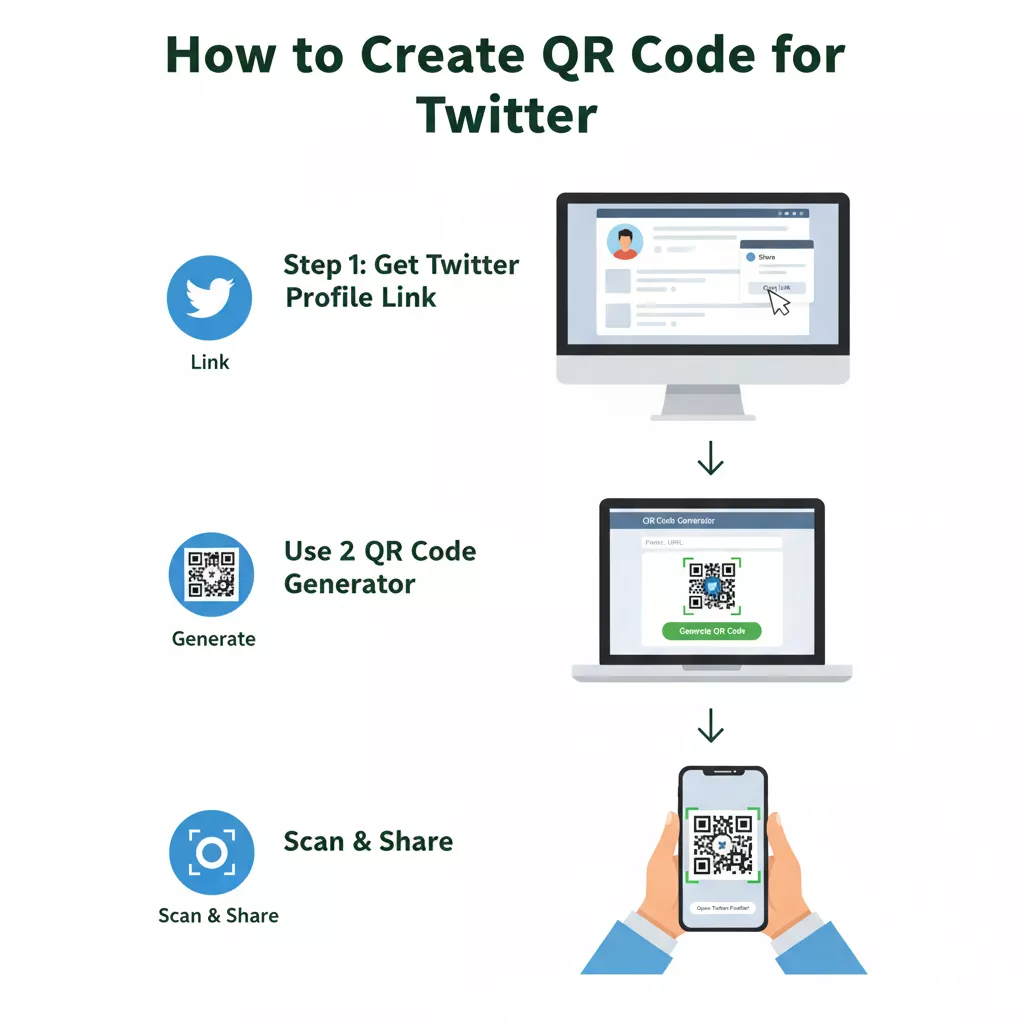
How to Create a QR Code for Twitter

Follow these simple steps to make your Twitter QR Code:

Create a QR Code for Twitter

Copy your Twitter or X profile link (for example, https://x.com/yourusername or https://twitter.com/yourusername).

Paste the link into the box above on our Twitter QR Code Generator

Click “Generate QR Code.”

Customize the color, design, or logo if you like.

Download it (PNG, SVG, EPS) for print or digital use.

Download the QR code image in PNG or SVG format.

Print it or share it anywhere you want.

That’s it your QR Code for Twitter is ready in seconds.

What Is a Twitter QR Code?

A Twitter QR Code (or X QR Code) is a unique type of code that captures the link to your Twitter profile inside. When someone scans your QR code using the camera on their phone, it opens your profile immediately. This is beneficial because it saves time and avoids any typos you might have if you had typed your username in. 

This tool works perfectly for both the old Twitter platform and the new X.com domain. So whether you call it a code generator for X or QR Code for Twitter, the idea is the same quick access and easy sharing like facebook and instagram.

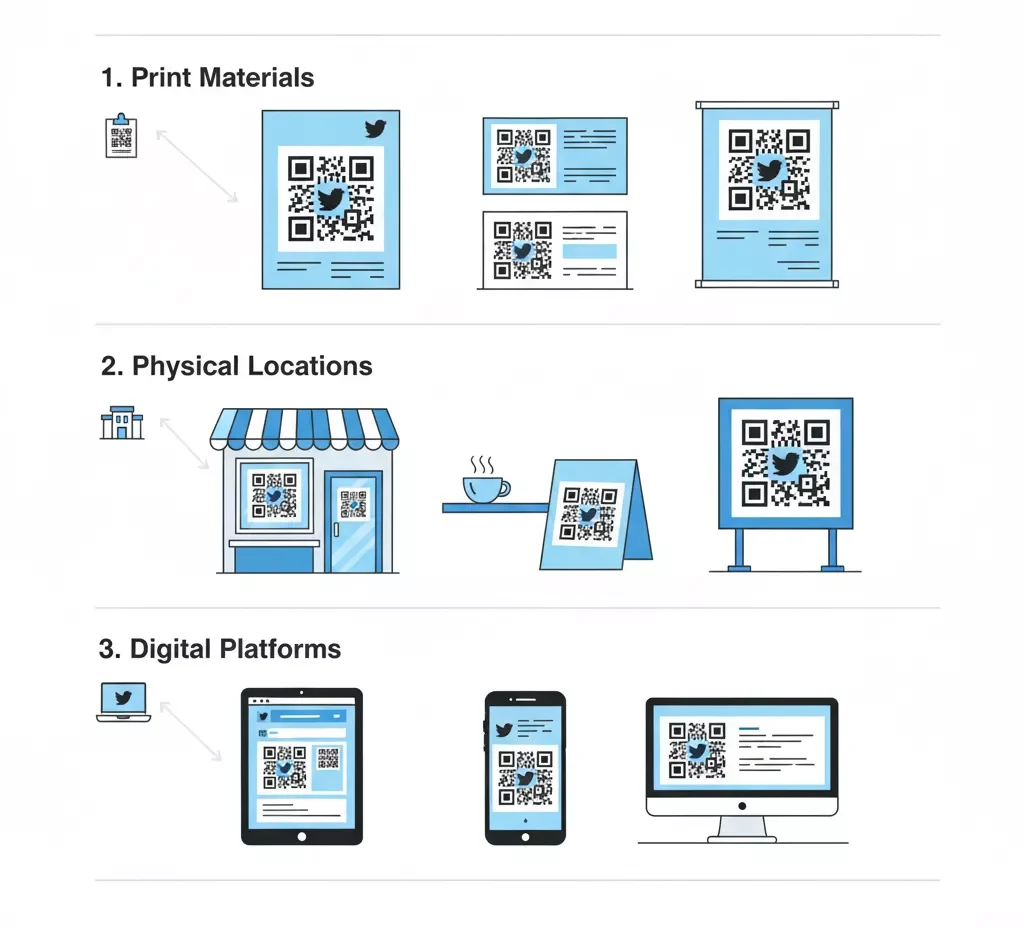
Use Your Twitter QR Code

Where to Use Your Twitter QR Code

You can place your Twitter QR in many creative ways to reach more people:

Why Use a Twitter QR Code Generator?

Here’s why thousands of users trust our Twitter QR Code Generator:

Quick Profile Access

You can share your Twitter profile instantly without typing long URLs or usernames.

Perfect for Marketing

Add your Twitter QR on posters, flyers, business cards, or packaging to grow your followers fast.

Simple and Free

You don’t need design skills or technical knowledge. Just enter your Twitter link, and your X QR Code is ready.

Customizable Design

You can choose colors, styles, and frames to make your QR code match your brand identity.

Mobile Friendly

Works on any smartphone Android or iPhone and opens the Twitter app or website automatically.

Tips: How to Write a Code for Your Twitter Account

If you want to manually create a code for your Twitter account, it’s simple. You just need your profile URL and a reliable QR code generator like ours. Here’s how you can do it:

Benefits of Using a QR Code for Twitter or X.com

Easily link followers to your Twitter or X.com account and increase engagement by sharing a scannable, personalized QR code wherever you want.

Boost Followers Instantly

Make following you easy with one scan, no hunting or typing in your handle necessary, making you more visible and gaining more followers sooner.

Simplify Profile Sharing

Share your Twitter handle quickly on flyers, websites, or emails with a QR code that takes others directly to your profile in one easy scan.

Build Your Brand Identity

Create your QR code with brand logos and colors to uphold a consistent, professional appearance that upholds trust and brand recognition across platforms.

Save Time and Effort

Get rid of spelling or defining your username one glance links individuals directly, cutting down on your marketing time and flow.

Add Modern Touch

Utilize Twitter QR codes on business cards, billboards, and social media advertisements to introduce a clean, digital, and tech-savvy touch to your marketing tools.

Whether you call it Twitter QR, X QR Code, or Code Generator for X, this tool helps you stay connected and visible in the digital world.

Frequently Asked Questions

Yes, you can change colors, shapes, and even add your logo to make your QR code match your brand’s style and design.

Absolutely. Our Twitter QR Code Generator is 100% free, secure, and doesn’t require any sign-up or personal data.

You can link your profile, individual tweets, hashtags, or any Twitter/X.com URL perfect for sharing on print materials and social media.

Add your QR code to business cards, flyers, posters, packaging, websites, or presentations to promote your Twitter handle instantly.

No, your Twitter QR code never expires. Once generated, it will work permanently as long as the linked Twitter profile or page remains active.