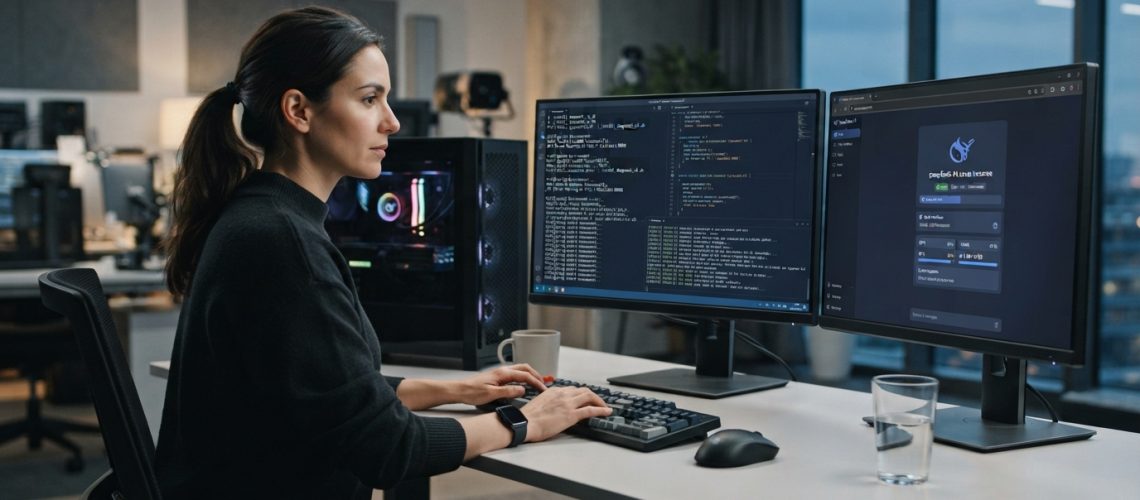
The Local AI Paradigm Shift: Why DeepSeek V4 Belongs on Your Hardware
The open-weights AI ecosystem has reached an inflection point. With the release of DeepSeek V4, developers, enterprise architects, and privacy-conscious engineers no longer need to rely exclusively on proprietary, cloud-hosted API endpoints. Running large language models (LLMs) locally has shifted from a fringe hobbyist pursuit to an essential infrastructure strategy. Deploying DeepSeek V4 locally guarantees zero data egress, eliminates API rate limits, minimizes latency, and empowers you to customize inference pipelines without third-party oversight.
DeepSeek V4 introduces an upgraded Mixture-of-Experts (MoE) architecture combined with advanced multi-head latent attention mechanisms. While cloud providers charge per million tokens and enforce strict content filters, executing local inference grants you full control over quantization parameters, context window sizing, and system prompt constraints. Whether you are building automated workflows, processing sensitive financial intelligence, or integrating custom tools, this guide delivers an end-to-end blueprint to install, optimize, and scale DeepSeek V4 on local hardware.
Hardware & System Requirements for DeepSeek V4 Local Inference
Before pulling model weights, assessing your local hardware topology is crucial. DeepSeek V4 utilizes a massive parameter distribution, meaning hardware selection dictates whether your token generation rate yields a responsive, real-time interactive stream or a bottlenecked execution queue.
GPU Memory Allocation Matrix
VRAM (Video Random Access Memory) is the primary bottleneck for running LLMs locally. Below is the hardware baseline required to run various quantization profiles of DeepSeek V4 comfortably:
| Quantization Precision | Parameter Variant | Minimum VRAM | Recommended VRAM | Target Execution Hardware |
|---|---|---|---|---|
System RAM and Storage Specifications
- System RAM: Minimum 32 GB for 4-bit quantizations; 64 GB to 128 GB recommended when offloading layers to system memory via unified memory architecture or CPU fallback.
- Storage Type: Dedicated NVMe PCIe 4.0 or 5.0 Solid State Drive. Model weight loading speeds drop drastically on legacy SATA SSDs or mechanical hard drives, causing slow startup times and context-swapping delays.
- Processor (CPU): Multi-core AVX2/AVX-512 instruction set support (Intel Core i7/i9 13th Gen+ or AMD Ryzen 7000/9000 series). For Mac users, Apple Silicon Apple M-Series chips utilize high-bandwidth Unified Memory to act as unified VRAM.
Core Prerequisites & Environment Preparation
To establish a clean, conflict-free local execution environment, configure the underlying operating system and installation toolchains before executing installer scripts.
1. Installing Driver Dependencies (NVIDIA CUDA Ecosystem)
Linux and Windows users running NVIDIA GPUs must ensure that the CUDA Toolkit (v12.2 or higher) and matching display drivers are configured correctly. Verify your installation by running the following command in terminal:
nvidia-smi
Check the upper-right corner of the output to ensure the reported CUDA version reads 12.2 or higher. Drivers below version 535.xx must be upgraded before compiling local inference engines.
2. Setting Up Python Environment Isolation
Isolate dependencies using Python virtual environments or Conda to avoid version conflicts between PyTorch, Transformers, and hardware accelerators.
python3 -m venv deepseek-env
source deepseek-env/bin/activate  # On Linux/macOS
deepseek-env\Scripts\activate     # On Windows Command Prompt
Method 1: Fast & Streamlined Deployment via Ollama
For users who want immediate deployment without managing low-level C++ compilation or manual tensor splitting, Ollama provides the fastest path to running DeepSeek V4 locally.
Step 1: Install Ollama Runtime
Download and install Ollama for your operating system:
- macOS/Linux: Run
curl -fsSL https://ollama.com/install.sh | shin terminal. - Windows: Download the executable installer directly from the official Ollama release portal.
Step 2: Pull and Initialize DeepSeek V4 Weights
Once the background service is running, launch your terminal and execute the pull command. Ollama automatically selects the correct quantization optimized for your available system memory:
ollama run deepseek-v4
To deploy specific quantization variants (e.g., the 16-bit or specialized MoE parameters), specify the tag explicitly:
ollama run deepseek-v4:70b-q4_K_M
Step 3: Verify Interactive Execution and Context Parameters
After downloading the model layers, Ollama launches an interactive CLI prompt. You can customize runtime behaviors—such as temperature, context window size, and system directives—by creating a custom Modelfile:
FROM deepseek-v4
PARAMETER num_ctx 16384
PARAMETER temperature 0.3
SYSTEM "You are an expert software architect providing concise code solutions."
Save this configuration as Modelfile and build your tailored instance:
ollama create deepseek-v4-custom -f ./Modelfile
ollama run deepseek-v4-custom
Method 2: Advanced Local Control via LM Studio
LM Studio offers a clean desktop interface built on top of llama.cpp, ideal for developers who prefer a visual dashboard, real-time memory monitoring, and precise parameter tuning.
Step-by-Step LM Studio Setup Guide
- Download and install LM Studio for Windows, macOS (Apple Silicon), or Linux.
- Launch the application and navigate to the Search Tab (magnifying glass icon).
- Type
DeepSeek-V4-GGUFinto the search bar. - Select the model variant that matches your VRAM capacity. For 24GB GPUs, choose the
Q4_K_MorQ5_K_Mvariant. - Click Download and monitor the file validation bar.
- Navigate to the Chat Tab, select
DeepSeek V4from the top model dropdown, and load the weights into memory.
Pro Tip: In LM Studio’s right-hand settings panel, locate GPU Acceleration and drag the GPU Offload Layers slider to “Max”. This ensures all model layers load directly into VRAM rather than stalling on CPU system memory.
Method 3: Maximum Performance Setup via llama.cpp (CLI Mastery)
For high-throughput requirements and precise memory control, building llama.cpp directly from source unlocks raw performance optimizations missing in wrapper applications.
Step 1: Clone and Build llama.cpp with Hardware Acceleration
Compile the binaries with CUDA enabled (for NVIDIA GPUs) or Metal enabled (for Apple Silicon):
# Clone repository
git clone https://github.com/ggerganov/llama.cpp
cd llama.cpp
# Build with CUDA support (Linux/Windows MSYS2)
cmake -B build -DGGML_CUDA=ON
cmake --build build --config Release -j 16
# Alternative: Build for Apple Silicon (Metal is enabled by default)
cmake -B build
cmake --build build --config Release -j 8
Step 2: Download DeepSeek V4 GGUF Files from Hugging Face
Use the official huggingface-cli to fetch quantized model files efficiently:
pip install huggingface_hub
huggingface-cli download DeepSeek-AI/DeepSeek-V4-GGUF --include "*Q4_K_M.gguf" --local-dir ./models
Step 3: Execute High-Performance Inference Command
Run the compiled binary with explicit layer offloading, context sizing, and thread utilization:
./build/bin/llama-cli -m ./models/deepseek-v4-Q4_K_M.gguf \
  -c 16384 \
  -ngl 99 \
  -t 12 \
  --temp 0.2 \
  -p "User: Write a Python script to parse large JSON files streaming over HTTP.\nAssistant:"
Production-Grade Integration: Local API Endpoints & Tooling
Once DeepSeek V4 runs locally, you can expose OpenAI-compatible REST API endpoints to power external tools, agentic workflows, and internal applications.
Serving an OpenAI-Compatible API Server
Launch the native API server provided by llama.cpp or Ollama:
# Expose API via Ollama (Listens on http://localhost:11434)
ollama serve
# OR expose API via llama.cpp (Listens on http://localhost:8080)
./build/bin/llama-server -m ./models/deepseek-v4-Q4_K_M.gguf -c 16384 --port 8080 -ngl 99
Integrating with Python Client Code
Because the local endpoint mimics OpenAI’s API schema, you can route queries by updating the base_url parameter in standard SDK calls:
import openai
client = openai.OpenAI(
base_url="http://localhost:8080/v1",
api_key="not-needed-for-local"
)
response = client.chat.completions.create(
model="deepseek-v4",
messages=[
{"role": "system", "content": "You are a senior systems engineer."},
{"role": "user", "content": "Explain memory alignment in C++."}
],
temperature=0.2
)
print(response.choices[0].message.content)
Leveraging Local Intelligence for Physical and Digital Workflows
Running local AI infrastructure unlocks unique opportunities to cross-integrate software intelligence with operational utilities. For instance, teams deploying local models often combine local AI text generation with asset tracking tools. Using Printen Qr Code, developers can dynamically generate high-density QR codes containing localized API payloads, access credentials, or offline endpoint URLs—ensuring secure physical-to-digital workflows across air-gapped environments.
Troubleshooting Common Local Deployment Hurdles
1. “CUDA Out of Memory” (OOM) Errors
If your installation crashes with an OOM error, your model configuration exceeds your hardware’s VRAM capacity. Implement these fixes immediately:
- Reduce Context Window (
num_ctx): Lowering the context size from 32,768 to 8,192 tokens drastically reduces key-value (KV) cache memory allocation. - Increase Partial Offloading: Reduce the number of layers offloaded to the GPU (e.g., set
-ngl 35instead of-ngl 99) to let system RAM handle excess parameters. - Switch Quantization Levels: Move from an 8-bit or 5-bit file down to
Q4_K_SorQ3_K_M.
2. Token Generation Slowdown (Memory Bandwidth Bottlenecks)
If your model outputs tokens slowly (below 5 tokens per second), CPU memory bandwidth is likely throttling performance. Ensure dual-channel or quad-channel RAM configurations are enabled in your BIOS, and check that PCIe x16 slots are running at their maximum rated generation capacity.
3. Context Fragmentation and Model Drift
When running long context inputs through quantized DeepSeek V4 builds, the model may occasionally repeat text or generate invalid tokens. To stabilize output, set repeat_penalty to 1.15, lower the temperature parameter to 0.1, and verify that system prompts explicitly direct the model’s output format.
Optimization Strategies: FlashAttention & KV Cache Quantization
To maximize output speeds and squeeze every drop of performance from your local hardware, apply these advanced optimizations:
- FlashAttention-2 Activation: Compile your execution engines with
-DGGML_CUDA_FA_ALL=ONto enable FlashAttention. This reduces KV cache memory consumption by up to 40% and speeds up response times for long prompts. - 4-Bit KV Cache Compression: Modern runtimes allow quantizing the KV cache itself. Using
--cache-type-k q4_0 --cache-type-v q4_0saves gigabytes of VRAM during extended multi-turn conversations. - Process Pinning (Linux Workstations): Lock CPU processing threads directly to physical performance cores using
numactlto prevent latency spikes caused by core hopping:numactl --physcpubind=0-15 ./build/bin/llama-cli -m ...
Frequently Asked Questions
Can I run DeepSeek V4 on a laptop without a dedicated GPU?
Yes. You can run light, quantized versions of DeepSeek V4 on a CPU using llama.cpp or Ollama. However, token generation speed will depend heavily on your system RAM bandwidth. Apple Silicon Macbooks (M1/M2/M3/M4) perform significantly better than standard x86 laptops without discrete GPUs thanks to their high-speed Unified Memory Architecture.
How does local DeepSeek V4 compare to the hosted API version?
Quantized local versions (such as 4-bit or 5-bit GGUF files) run at a slight precision loss compared to uncompressed 16-bit cloud deployments. However, for key tasks like coding, document summarizing, and structured data generation, local execution provides comparable quality while offering absolute privacy, zero latency variation, and complete operational independence.
Is local deployment compliant with privacy frameworks like GDPR and HIPAA?
Yes. Because the model processes data entirely within your local hardware memory footprint, zero data is transmitted over external networks. This air-gapped pipeline natively meets strict enterprise data privacy, GDPR compliance, and sensitive HIPAA storage requirements.