Your Location Details

Please enter valid Latitude and Longitude.

Set Colors
#ffffff
#222222
#007bff
Custom Design Options
Main Body Shape
Eye Frame Shape
Eye Dot Shape
Logo Upload
logo

Live Preview

💾 Download Options

Google Maps & Location QR Code Generator

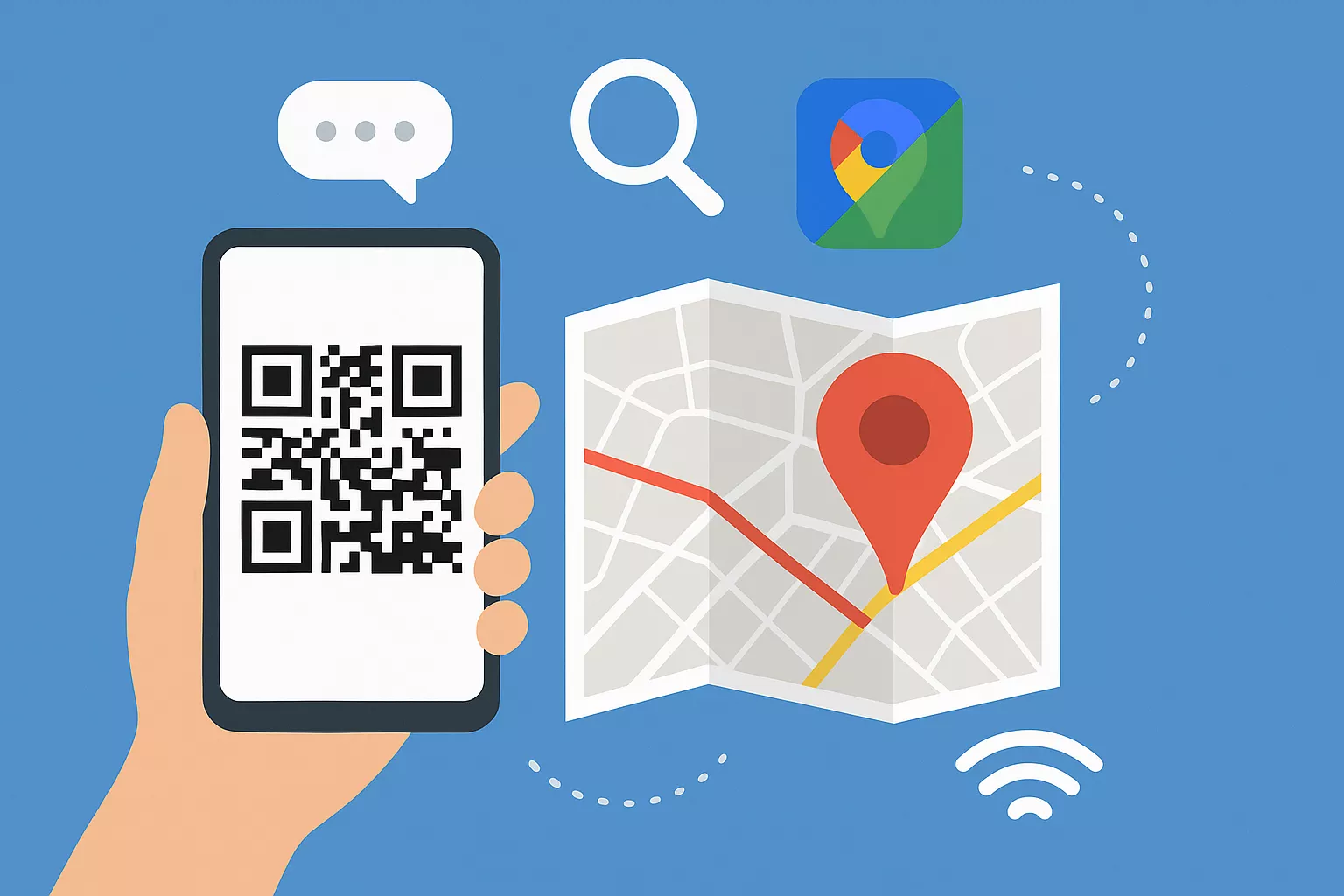
Want people to find your place easily? Our Google Maps & Location QR Code Generator helps you turn any address or location into a simple QR code. Just scan it and Google Maps will open with your exact spot or directions.

Whether it’s your shop, restaurant, event, or office, this tool makes it super easy for anyone to reach you without typing a single word.

Facebook QR Code

Connect your audience directly to your Facebook page or profile to grow your followers with one scan.

Create a QR Code for a URL

Turn any website or landing page into a scannable QR code. Perfect for business cards, posters, and brochures.

Text to QR Code

Share text messages, quote, or contact info in seconds. Just type, generate, and printen QR code anywhere.

YouTube QR Code Generator

Make your video content instantly accessible; one scan takes users directly to your YouTube channel or video.

Twitter QR Code

Help people connect with your Twitter (X) profile instantly fast and interactive sharing.

QR Code Call

Let customers call you instantly with one quick scan. No typing, no delay just fast and direct communication.

Video QR Code

Connect your audience to your videos instantly with a single scan. Share tutorials, product demos, or personal clips easily.

WiFi QR Code

Let visitors connect to your WiFi without typing a password. One quick scan and they’re online fast, easy, and secure.

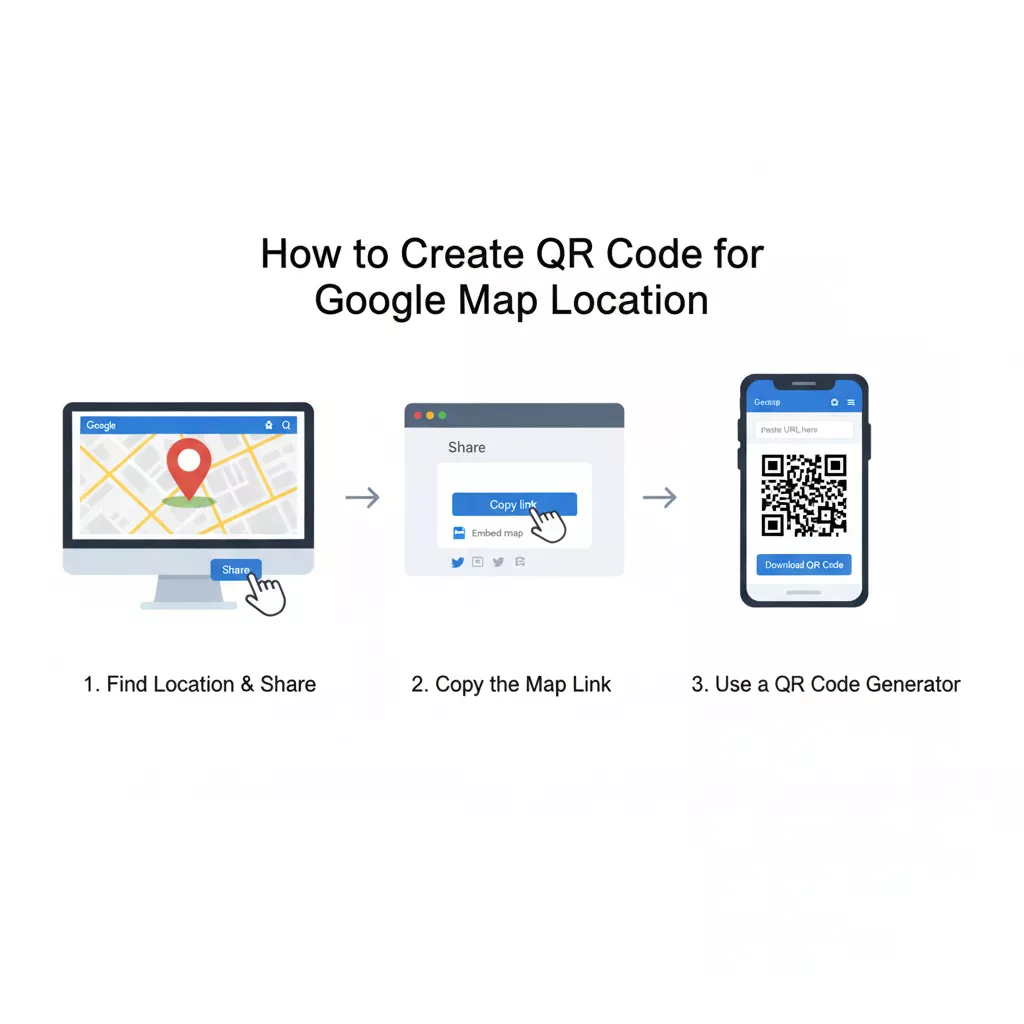
How to Create QR Code for Google Map Location

It only takes a minute to create a QR code for Google Map location. Here’s how:

Create QR Code for Google Map Location

Open Google Maps and find your place.

Tap on the location pin and copy the share link.

Paste that link into our Google Maps & Location QR Code Generator.

Customize your code you can add color, shape, or a frame if you want.

You can add your website or brand logo.

Use an AI assistant for better options.

Click “Generate” and download your QR code in PNG, SVG, or printable format.

What is a Google Maps & Location QR Code Generator?

The Google Maps & Location QR Code Generator is a quick tool that lets you create QR codes linked to your Google Maps location. When someone scans your code, it instantly opens your pin or directions on their phone.

It’s perfect for small and large businesses, events, hotels, and even personal use. You can print the QR code on your flyers, menus, business cards, or posters anywhere people need to find your place fast.

Use a QR Code for Google Maps and Location

Why Use a QR Code for Google Maps and Location?

Think about how often people type addresses wrong or struggle to find a location. A QR Code for Google Maps and Location fixes that in seconds.

Create a Scanner for Location

You can also create a scanner for location by printing your QR code and displaying it where people can easily find it.

Cafes and Restaurants

Create a Google Maps QR Code for your café or restaurant so that customers can quickly find it and give directions to friends and family.

Stores and Showrooms

Create a location QR code for your store or showroom so that clients can quickly view your address and locate you on Google Maps.

Hotels and Guesthouses

Check-in and travel are made easier by using Google Maps QR Codes to direct guests to your hotel or guesthouse.

Warehouses and Offices

Placing a Google Maps QR Code for your business or warehouse will make customer visits quick, accurate, and readable.

Event Halls or Exhibitions

Place a Google Maps location QR Code for your event hall or exhibition to assist visitors in finding their way and arriving on time.

Google Maps QR Code

A Google Maps QR code is a small but powerful way to share your location. It connects your offline business with the online world in seconds.

You can put your Google Maps QR code:

Anyone who scans it can see your location right away on Google Maps. It’s quick, clear, and very professional.

Google Maps Directions QR Code

If you want people to reach you with step-by-step directions, use a Google Maps directions QR code.

This QR code opens Google Maps with the route already set. All users need to do is tap “Start,” and they’ll get turn-by-turn directions straight to your door.

It’s especially useful for:

With a Google Maps directions QR code, your visitors never get lost.

QR Code for Address

Sharing a full address can take space and sometimes confuse people. A QR code for address makes it simple. When someone scans it, they can see your address on their phone and open it in Google Maps anytime.

Use it on:

  • Business cards and brochures
  • Invitations and flyers
  • Menus, receipts, or packaging
  • Online contact pages

It’s neat, smart, and makes your business look modern and easy to reach.

Benefits of Using Our Google Maps & Location QR Code Generator

Here’s why our Google Maps & Location QR Code Generator is trusted by many businesses and individuals:

  • Very simple: Create your QR code in seconds no sign-up needed.
  • Custom designs: Match your brand colors and style easily.
  • High quality: Download sharp images for printing or online use.
  • Universal use: Works perfectly on all smartphones.
  • Instant access: One scan opens your Google Maps link directly.

We built this tool to help you share your location faster and smarter.

Frequently Asked Questions

Static QR Codes can’t be changed, but dynamic ones allow you to update the linked location anytime without reprinting.

Yes, Many online tools offer free QR Code creation for Google Maps links with optional premium features

Use it on flyers, menus, websites, business cards, or shop entrances to help people reach you faster.

Yes, both Android and iPhone users can scan them instantly using their camera or any QR Code scanner app.

Absolutely they only link to your chosen Google Maps location, making them secure and easy to manage.

Yes, if you use a dynamic QR Code generator with analytics, you can track scans, location, and device type.