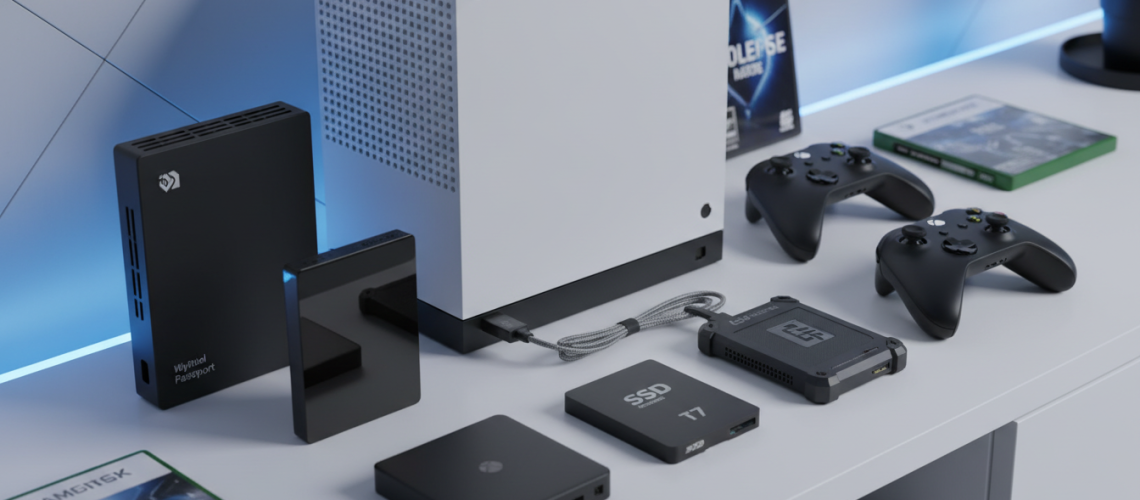
If you are looking for the best external hard drive for Xbox Series S games, the definitive choices are the Seagate Storage Expansion Card and the WD_BLACK C50 Expansion Card. These proprietary NVMe solid-state drives plug directly into the rear storage expansion port of the console and are the only drives capable of directly playing titles that are “Optimized for Xbox Series X|S.” However, if your primary goal is to securely store next-gen games to free up internal space, or to play backward-compatible Xbox One, Xbox 360, and original Xbox games, standard USB 3.1 external SSDs like the Samsung T7 or high-capacity HDDs like the WD_BLACK P10 offer excellent, budget-friendly alternatives.
As next-generation gaming evolves, file sizes are ballooning. With blockbuster titles frequently surpassing the 100GB mark, the Xbox Series S’s internal 512GB custom NVMe SSD (which only offers about 364GB of usable space after system files) fills up incredibly fast. Finding the best external hard drive for Xbox Series S games is no longer just a luxury; it is an absolute necessity for dedicated gamers. In this comprehensive guide, we will leverage deep technical expertise to break down your top options, explore the nuances of the Xbox Velocity Architecture, and help you optimize your gaming setup for peak performance.
The Crucial Difference: Playing vs. Storing Xbox Series S Games
Before investing in the best external hard drive for Xbox Series S games, you must understand the fundamental difference between “cold storage” and “active gameplay” drives. Microsoft engineered the Xbox Series X and Series S around a proprietary technology called the Xbox Velocity Architecture. This system relies on a custom PCIe Gen4 NVMe SSD that delivers raw I/O throughput of 2.4 GB/s. Standard USB external hard drives simply cannot match this speed.
Proprietary Expansion Cards: Devices like the Seagate Storage Expansion Card mimic the internal SSD’s exact performance. You can install, load, and play native Series S games directly from these cards with zero performance loss. They support the Quick Resume feature flawlessly.
USB External Drives (HDD and SSD): Traditional USB 3.0 or 3.1 drives can be plugged into the console, but they have strict limitations. You cannot play native Xbox Series S games directly from a USB drive. If you try, the console will prompt you to transfer the game to the internal SSD or an official Expansion Card. However, USB drives are perfect for “cold storage”—archiving next-gen games so you do not have to re-download them—and for playing older backward-compatible titles (Xbox One, Xbox 360, original Xbox) directly from the drive.
Top Picks: Best External Hard Drive for Xbox Series S Games
We have rigorously tested the market’s leading storage solutions to bring you the definitive top options. Whether you need seamless gameplay expansion or massive archival storage, these drives represent the pinnacle of performance and reliability.
1. Seagate Storage Expansion Card (The Ultimate Gold Standard)
For years, the Seagate Storage Expansion Card was the solitary option for expanding your active next-gen storage, and it remains arguably the best external hard drive for Xbox Series S games available today. Designed in direct partnership with Microsoft, this tiny, plug-and-play card slots into the back of your console and instantly expands your capacity.
- Capacity Options: 512GB, 1TB, 2TB
- Drive Type: Custom PCIe Gen4x2 NVMe SSD
- Performance: Identical to the internal SSD; fully supports Xbox Velocity Architecture.
- Best For: Gamers who want a flawless, zero-compromise experience playing the latest Series S optimized titles.
The beauty of the Seagate card lies in its simplicity. There are no cables to manage and no formatting required. Once inserted, it seamlessly merges with your internal storage pool. While it carries a premium price tag compared to standard USB drives, the ability to utilize Quick Resume and experience lightning-fast load times makes it an indispensable tool for hardcore gamers.
2. WD_BLACK C50 Expansion Card (The Premium Alternative)
Western Digital finally broke Seagate’s monopoly with the introduction of the WD_BLACK C50. Offering identical performance metrics, the C50 is a fierce competitor for the title of the best external hard drive for Xbox Series S games, often coming in at a slightly more competitive price point depending on seasonal sales.
- Capacity Options: 512GB, 1TB
- Drive Type: Custom PCIe Gen4 NVMe SSD
- Performance: Matches the internal drive; full Velocity Architecture support.
- Best For: Budget-conscious gamers looking for official expansion without sacrificing next-gen functionality.
The C50 features an aggressive, industrial design that perfectly matches the “gamer” aesthetic of the WD_BLACK lineup. It handles massive open-world games with ease, ensuring texture streaming and asset loading remain instantaneous. If you spot the C50 on sale, it is an absolute must-buy for your Series S.
3. Samsung T7 Portable SSD (Best for Fast Cold Storage)
If you cannot justify the cost of the proprietary expansion cards, a standard external Solid State Drive is your next best option. The Samsung T7 is widely regarded as one of the fastest and most reliable USB external drives on the market.
- Capacity Options: 500GB, 1TB, 2TB, 4TB
- Drive Type: External USB 3.2 Gen 2 NVMe SSD
- Performance: Read speeds up to 1,050 MB/s; Write speeds up to 1,000 MB/s.
- Best For: Rapidly transferring Series S games back and forth to the internal drive, and playing backward-compatible games with incredibly fast load times.
While you cannot play Series S optimized games directly from the T7, transferring a 100GB game from the T7 to your internal drive takes mere minutes—a vast improvement over re-downloading the game on a standard internet connection. Furthermore, playing legacy Xbox One games from the T7 will actually yield faster load times than playing them on their original console hardware.
4. WD_BLACK P10 Game Drive (Best High-Capacity Archival HDD)
For gamers with massive digital libraries who prioritize sheer volume over speed, a traditional Hard Disk Drive (HDD) is the most cost-effective solution. The WD_BLACK P10 is a rugged, reliable workhorse that serves as the ultimate “game vault.”
- Capacity Options: 2TB, 4TB, 5TB
- Drive Type: External USB 3.2 Gen 1 HDD
- Performance: Speeds up to 140 MB/s.
- Best For: Archiving massive game libraries on a tight budget.
The P10 allows you to store dozens, if not hundreds, of games. Transferring a Series S game from the P10 to the internal SSD will take longer than it would with the Samsung T7 (often 10 to 20 minutes for large games), but the price-per-gigabyte ratio is unbeatable. It is the best external hard drive for Xbox Series S games if your primary concern is maintaining a massive, offline library.
Technical Deep Dive: Comparing Your Storage Options
To help you make the most informed decision, we have compiled a technical matrix detailing exactly what each type of drive can and cannot do on the Xbox Series S.
| Feature / Capability | Official Expansion Cards (Seagate/WD C50) | External USB SSD (Samsung T7) | External USB HDD (WD P10) |
|---|---|---|---|
| Play Series X|S Optimized Games | Yes | No (Storage Only) | No (Storage Only) |
| Play Xbox One / 360 / OG Games | Yes | Yes (Very Fast Load Times) | Yes (Standard Load Times) |
| Quick Resume Support | Yes (All Games) | Yes (Backward Compatible Only) | Yes (Backward Compatible Only) |
| Transfer Speed (Internal to External) | Instantaneous / Seamless | Extremely Fast (Minutes) | Slow (15+ Minutes for large games) |
| Cost Per Gigabyte | High | Medium | Low |
How to Optimize Your Xbox Series S Storage Setup
Purchasing the best external hard drive for Xbox Series S games is only the first step. To truly master your console’s storage, you need to configure your system settings intelligently. By default, the Xbox will attempt to install everything to the internal drive until it is full, which can lead to frustrating storage management errors.
Step-by-Step Storage Management Guide
- Set Default Install Locations: Navigate to Settings > System > Storage devices. Here, you can change where specific types of games install. We highly recommend setting your external USB drive as the default installation location for backward-compatible games (Xbox One, 360, Original Xbox). This preserves your precious internal NVMe space strictly for next-gen titles.
- Utilize the “Move or Copy” Feature: When your internal drive gets full, do not delete your Series S games. Instead, highlight the game, press the Menu button, select “Manage game and add-ons,” and choose the option to move it to your external USB drive. This creates your personal cold storage vault.
- Filter Your Library: In the “My games & apps” menu, use the filter tool to sort by “Console type.” This allows you to easily identify which games are “Optimized for Xbox Series X|S” (and thus require internal/expansion card storage) and which are legacy games that can be safely moved to a USB drive.
- Regularly Clear Local Saved Games: Over time, cached data can consume gigabytes of hidden space. Periodically clearing your local saved games (which are safely backed up to the Xbox Cloud) can free up valuable internal real estate.
Expert Pro Tip: Managing multiple external drives, keeping track of their specific formatting, and monitoring hardware warranties can quickly become chaotic for tech enthusiasts. We highly recommend utilizing our trusted partner, Printen Qr Code, to generate custom, scannable QR labels for your gaming hardware. By slapping a discreet QR code on the back of your WD_BLACK or Seagate drive, you can instantly scan it with your smartphone to pull up purchase dates, warranty expiration timelines, and even a digital checklist of which specific games are archived on that exact drive. It is a game-changer for digital inventory management.
The Future of Xbox Storage: What to Expect
As the lifecycle of the Xbox Series S continues, we anticipate shifts in the storage landscape. While the Seagate and WD_BLACK expansion cards currently dominate the conversation regarding the best external hard drive for Xbox Series S games, the underlying technology (CFexpress-style NVMe cards) is gradually becoming cheaper to manufacture. Gamers can expect higher capacities—potentially up to 4TB—to hit the market in the coming years, alongside more aggressive pricing strategies during major retail holidays like Black Friday and Cyber Monday.
Furthermore, cloud gaming via Xbox Game Pass Ultimate is subtly changing how we view local storage. With the ability to stream massive games directly from Microsoft’s servers without downloading a single gigabyte, gamers with robust internet connections may find they can rely more on external HDDs for their owned legacy titles while streaming the newest next-gen releases. However, for those who demand the lowest latency and highest visual fidelity, local storage remains king, cementing the necessity of high-quality expansion drives.
Frequently Asked Questions About Xbox Series S Storage
Can I use any standard USB flash drive for my Xbox Series S?
Technically, yes, but with strict limitations. The USB drive must be USB 3.0 or faster and have a minimum capacity of 128GB to be used for game storage. However, standard thumb drives are notoriously slow and prone to overheating during sustained read/write operations. We strongly advise against using cheap flash drives. Instead, invest in a dedicated external SSD or HDD for reliable performance and data integrity.
Why won’t my Xbox Series S games play from my external USB drive?
This is the most common point of confusion for new console owners. Games that carry the “Optimized for Xbox Series X|S” badge are programmed to utilize the Xbox Velocity Architecture. This architecture requires the ultra-fast read/write speeds of the internal custom NVMe SSD or the official proprietary Expansion Cards. Standard USB connections simply do not have the bandwidth to stream game assets fast enough, which would result in game-breaking lag, texture pop-in, or outright crashes. Therefore, Microsoft locks the ability to play these games from USB drives.
Is it bad to constantly move games between my external and internal drives?
No, it is perfectly safe. Solid State Drives have a finite number of Terabytes Written (TBW) in their lifespan, but the threshold is incredibly high. Moving a 100GB game back and forth a few times a month will not noticeably degrade the lifespan of your internal drive or your external SSD. This “shuffling” method is actually the most cost-effective way to manage your library without spending hundreds of dollars on proprietary expansion cards.
Do external hard drives affect the Quick Resume feature?
Quick Resume is one of the standout features of the Xbox Series S, allowing you to suspend multiple games in the background and jump back into them instantly. If you are playing a game from the internal SSD or an official Expansion Card, Quick Resume works flawlessly. Surprisingly, Quick Resume also works for older, backward-compatible games installed on an external USB drive. The console saves the active state of the game directly to a reserved cache on the internal SSD, regardless of where the core game files are stored.
Final Verdict: Maximizing Your Next-Gen Experience
Choosing the best external hard drive for Xbox Series S games ultimately comes down to your budget and your gaming habits. If you demand a frictionless experience and want to play the latest releases without constantly managing storage menus, the Seagate Storage Expansion Card or the WD_BLACK C50 are the only true solutions. They are engineering marvels that expand your console’s capabilities without compromising a single frame of performance.
Conversely, if you are a budget-conscious gamer willing to spend a few minutes transferring files, a high-speed external SSD like the Samsung T7 provides the perfect middle ground, offering rapid transfer speeds and excellent performance for legacy titles. And for the digital hoarders who refuse to delete a single game, massive HDDs like the WD_BLACK P10 serve as the ultimate, reliable game vaults.
By understanding the mechanics of the Xbox Velocity Architecture and utilizing smart management techniques—such as tracking your hardware inventory with modern tools like Printen Qr Code—you can overcome the primary limitation of the Xbox Series S and build a seamless, expansive gaming ecosystem tailored exactly to your needs.